//How it works
From a push switch to a paid, self-serve cup
Three screens on the machine, one UPI payment, and drinks that wait for the customer. Here is what happens on each side of that.
- No app to install
- No card reader
- No attendant
//The unit
The screen on the machine
The same screen a fitted machine runs, live here for you to try — order a couple of drinks, pay, and dispense them.
A working replica of the screen your customers use. Touch it — add drinks, pay, dispense.
//Step by step
The same three steps, seen from three sides
What the customer touches, what the machine does about it, and what shows up in your app — with the moment itself on a fitted machine.
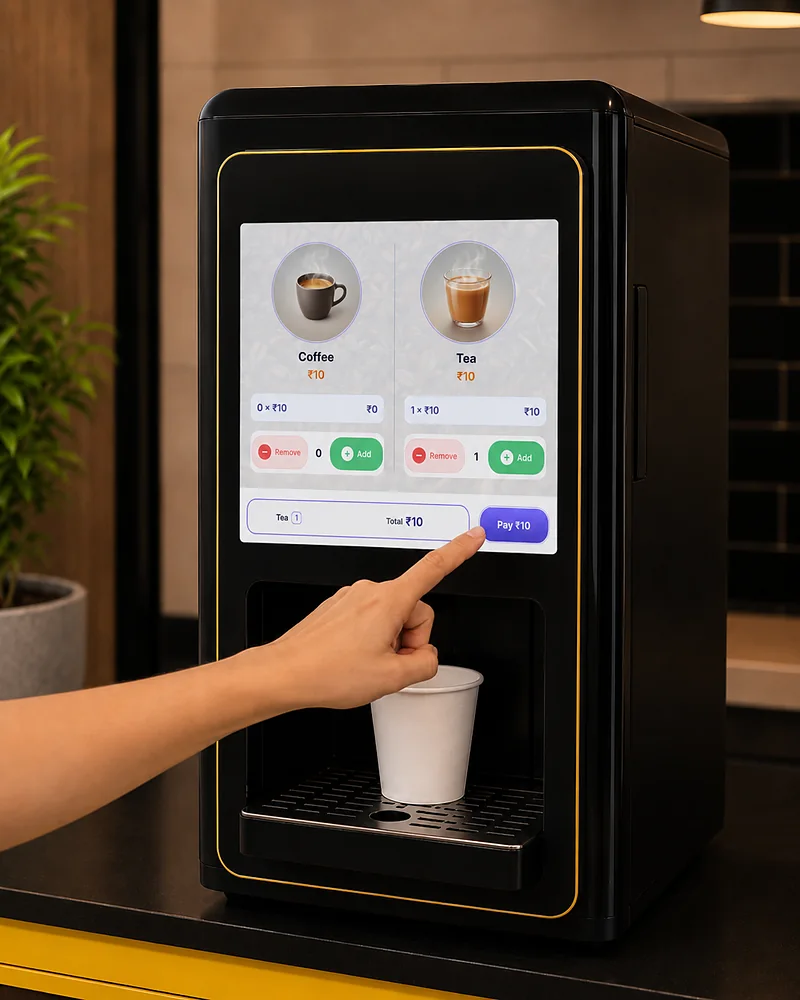
Order on the machine
- On the screen
- The menu wakes out of the idle slideshow on first touch. Every drink shows its price and how many cups it has left. Tapping + builds an order and the total climbs as it goes.
- At the machine
- The machine knows its own menu — names, prices, how much is left. A drink it has no stock for is not on the menu at all, so nobody is offered something it cannot pour.
- In your dashboard
- Prices and availability came from your dashboard, not from the machine. Changing a price is an edit in the app, not a site visit.
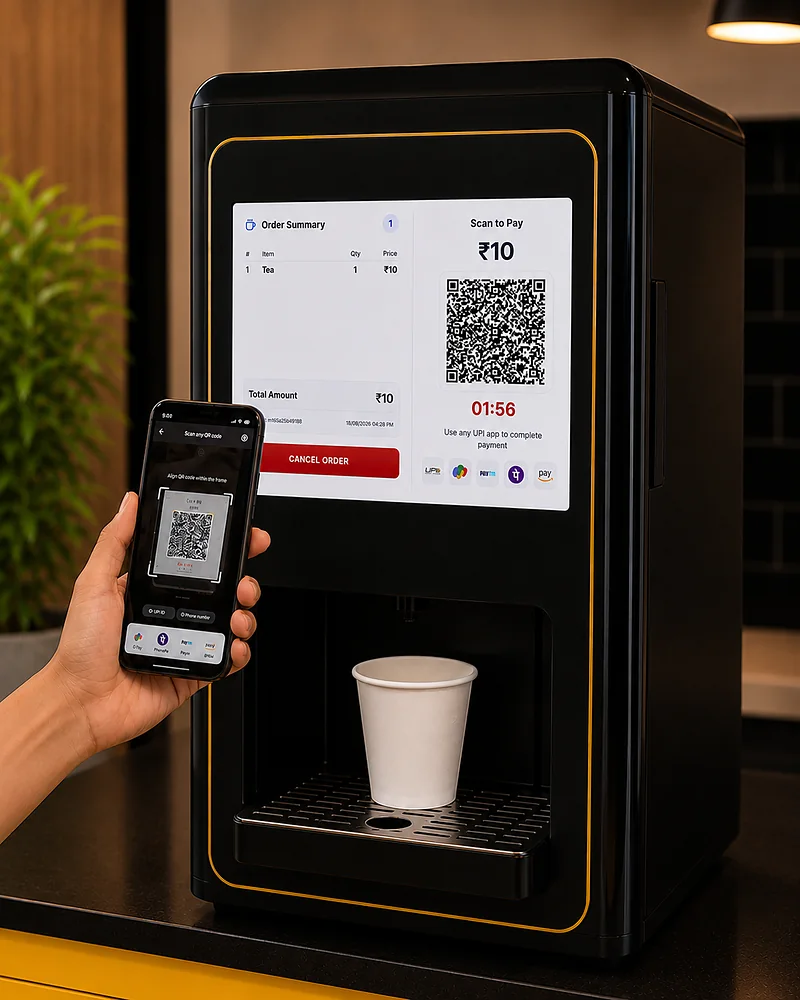
Pay with any UPI app
- On the screen
- Pay ₹50 puts a QR for that exact amount on screen, alongside the apps it accepts. The screen holds there, counting down, until the payment lands or the order expires.
- At the machine
- The machine waits for the payment to be confirmed. It never assumes — no confirmation, no serve screen, no drink.
- In your dashboard
- The order is recorded against that machine and the money goes into your own UPI account. It shows up in your reports the same minute.
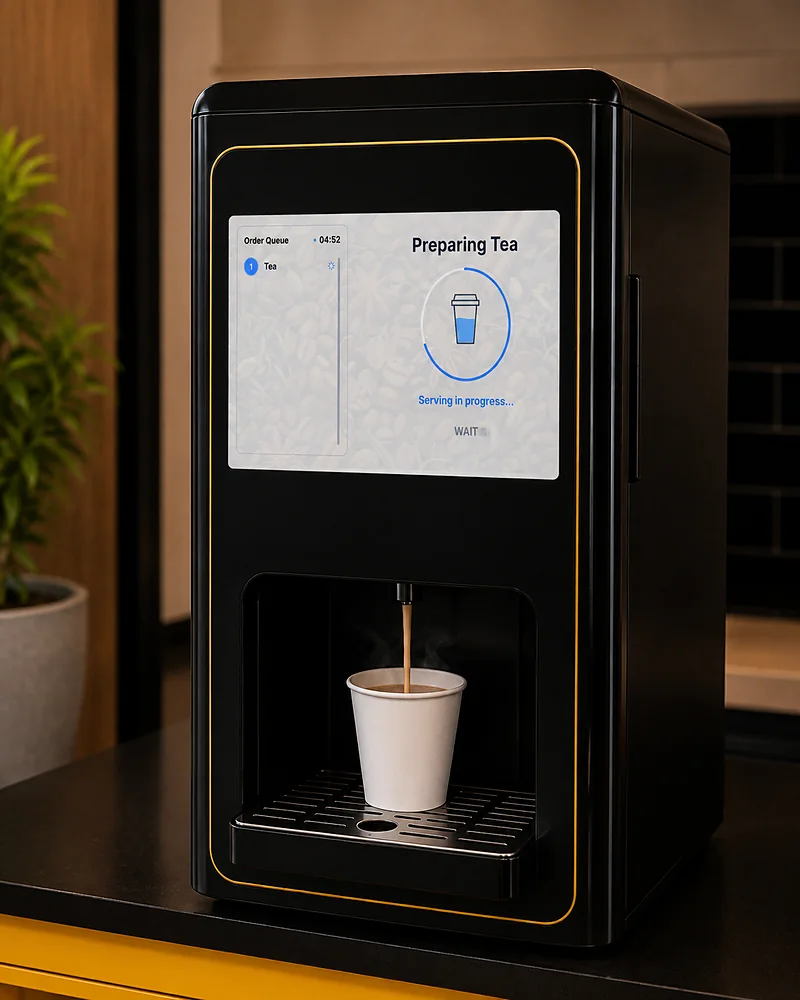
Dispense at the customer's pace
- On the screen
- The paid order is listed cup by cup. The current drink shows Press to dispense, the rest wait their turn, and each one ticks off as it pours.
- At the machine
- One drink pours at a time, for exactly as long as that drink takes, and only when someone presses. Nothing runs while the tray is empty.
- In your dashboard
- Each cup comes off the stock count and goes into the order history, so what the app tells you matches what came out of the nozzle.
//When things go wrong
What it does on a bad day
A machine taking money in a food court is judged on its worst hour, not its best. Each of these is how it is meant to behave, not something breaking.
The internet drops
The machine stops selling and says so on screen rather than taking a payment it cannot confirm. Machines on a SIM ride out a Wi-Fi outage without noticing it.
A payment never confirms
The order stays unpaid and nothing is dispensed. The QR expires, the order clears, and the customer sees the failure in their own UPI app — no drink is owed.
A drink runs out
The count reaches zero and that drink comes off the menu — the screen only lists drinks the machine can actually pour, so it is never offered and then refused. The dashboard flags it as low well before then, with a notification to your phone.
A machine goes quiet
It is marked as not responding in the dashboard within the minute, with the time it was last in touch — so you hear it from the app, not from a customer.
//Who does what
Your machine brews. We handle the rest.
The split is deliberate, and it is the reason this works on a machine you already own.
Your machine
Makes the drinks, exactly as it does today. The cans, the recipes and the brewing are untouched — we only decide when a drink is poured.
The TeaPay screen
Takes the order, shows the QR, waits for the payment to clear, and then releases each drink as the customer asks for it.
Your dashboard
Holds the prices, the stock and the reports for every machine, and lets you change any of it from wherever you happen to be.
Us
Fit TeaPay to the machine, test every drink on it, and keep the software coming — you decide when each machine takes a new release.
//Questions
Before you ask
Do I have to replace my existing beverage machine?
No. That is the whole point. TeaPay fits onto the switch-based machine you already run — the same drinks, made the same way, with a payment screen in front of them. Your machine keeps brewing exactly as it did.
How is it fitted to my machines?
We go through one of your machines ourselves rather than working from a photo, and if a machine needs more than the screen wired in, we do that work too. Once a model is worked out every machine of that model takes the same setup, so machines go through in numbers — and every drink on every machine is bought and poured as a test before it is allowed to sell.
What happens if the internet drops mid-order?
The machine will not accept an order it cannot confirm payment for. If it loses its connection it stops selling and says so on screen, so you never end up owing a customer a drink that was paid for. Machines on mobile data ride out a Wi-Fi outage entirely.
How does the money reach me?
Straight into your own UPI account — TeaPay never holds your takings. Every order is also recorded against the machine that sold it, so you can see what each machine earned without adding up receipts.
Can one customer buy several drinks at once?
Yes. They build up an order on the screen, pay one UPI amount for the lot, then dispense the drinks one at a time as cups become free. How many fit in one order depends on the machine — it will not sell more cups than it has the water and stock to pour.
Who updates the software on the machines?
You do, from the management app. When a new release is available the app tells you, and you update the machines you pick, when it suits you — so you are never waiting for us to work through a list. Nobody has to visit a machine to do it.
How many machines can I run on one account?
As many as you like — one account, many machines, grouped by site, with staff assigned per group. A handful of machines and a several-hundred-machine operation use the same system.
//Get started
Want to see this on your machine?
Tell us what machines you run and where. We will walk you through the screen your customers use, the app you would run it from, and what fitting your model involves.